NEO RDP Manager logoNEO RDP Manager
Guide

Switching from mRemoteNG: import confCons.xml

From mRemoteNG to NEO RDP Manager in five minutes – with every folder, password and setting. And should you want to go back: the export writes a confCons.xml again.

What is taken over?

  • Folders of any depth, in their order.
  • Connections of every protocol: RDP, SSH, Telnet, Rlogin, RAW, VNC, HTTP/HTTPS, PowerShell and external applications.
  • Credentials – user, domain and password. Passwords are decrypted during the import and immediately re-encrypted in the vault with your master password.
  • Inheritance: inherited credentials stay inherited from the folder; every other inherited setting is resolved during the import, so each connection starts exactly as it did in mRemoteNG.
  • RDP options: resolution, colour depth, redirections, audio, performance, NLA, certificate behaviour, console session, RD Gateway, start program and load balance info.
  • Extras: description, MAC address for Wake-on-LAN, user field and the assignment of external tools.

Which mRemoteNG files can I import?

FileNote
confCons.xml (default)Passwords with mRemoteNG's default key – no password needed.
confCons.xml with a custom passwordIf you set a password for the connection file in mRemoteNG, the import asks for it.
confCons.xml, fully encryptedFiles with “full file encryption” are read too – with the file's password.
confCons.xml of older versionsThe earlier format with AES-CBC encryption is recognised as well.
CSV exportmRemoteNG's CSV export (semicolon-separated), in the new and the old format.

Step by step

  1. Close mRemoteNG so the file is completely saved. The installed version keeps it under %APPDATA%\mRemoteNG\confCons.xml, the portable version in its program folder.
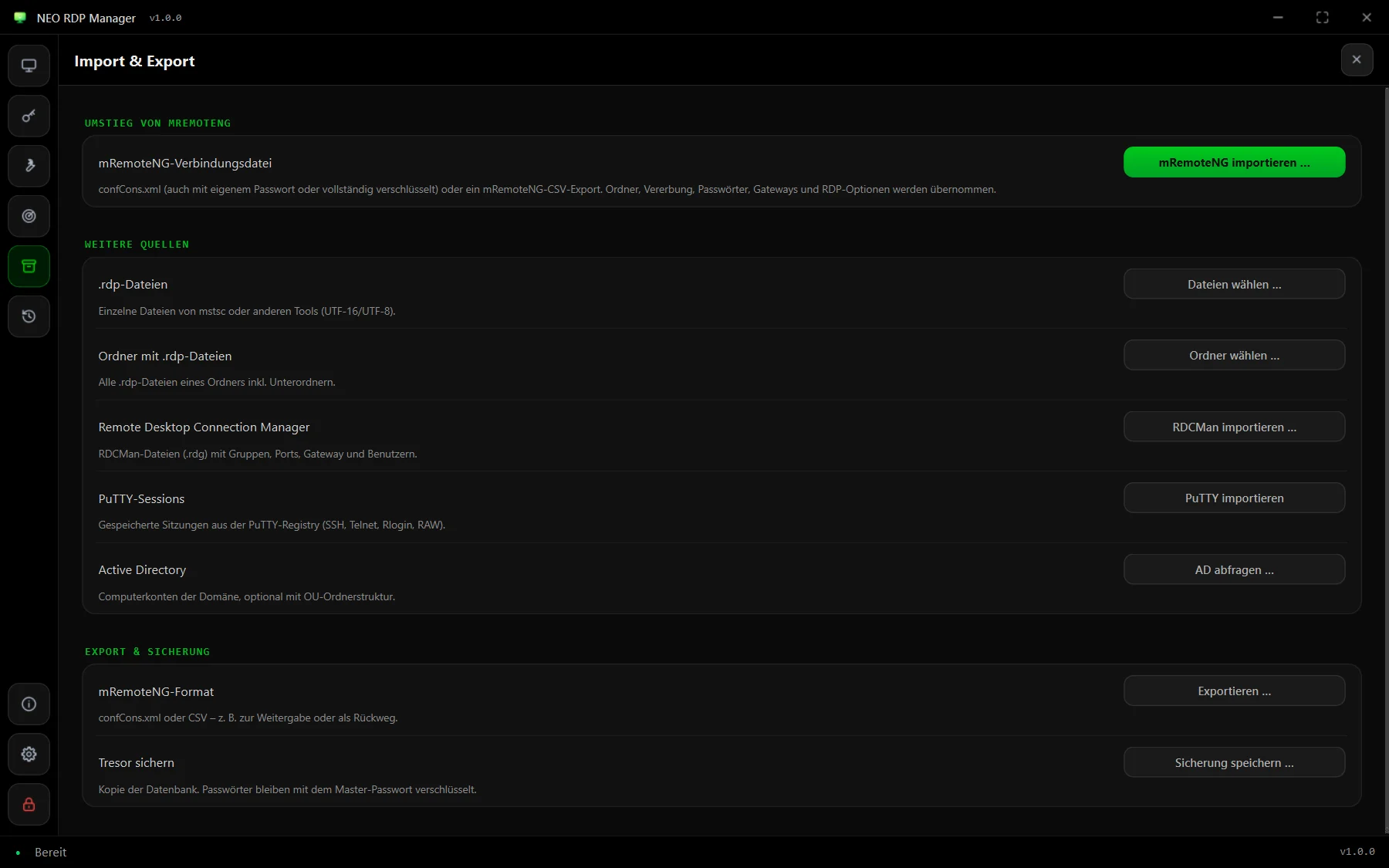
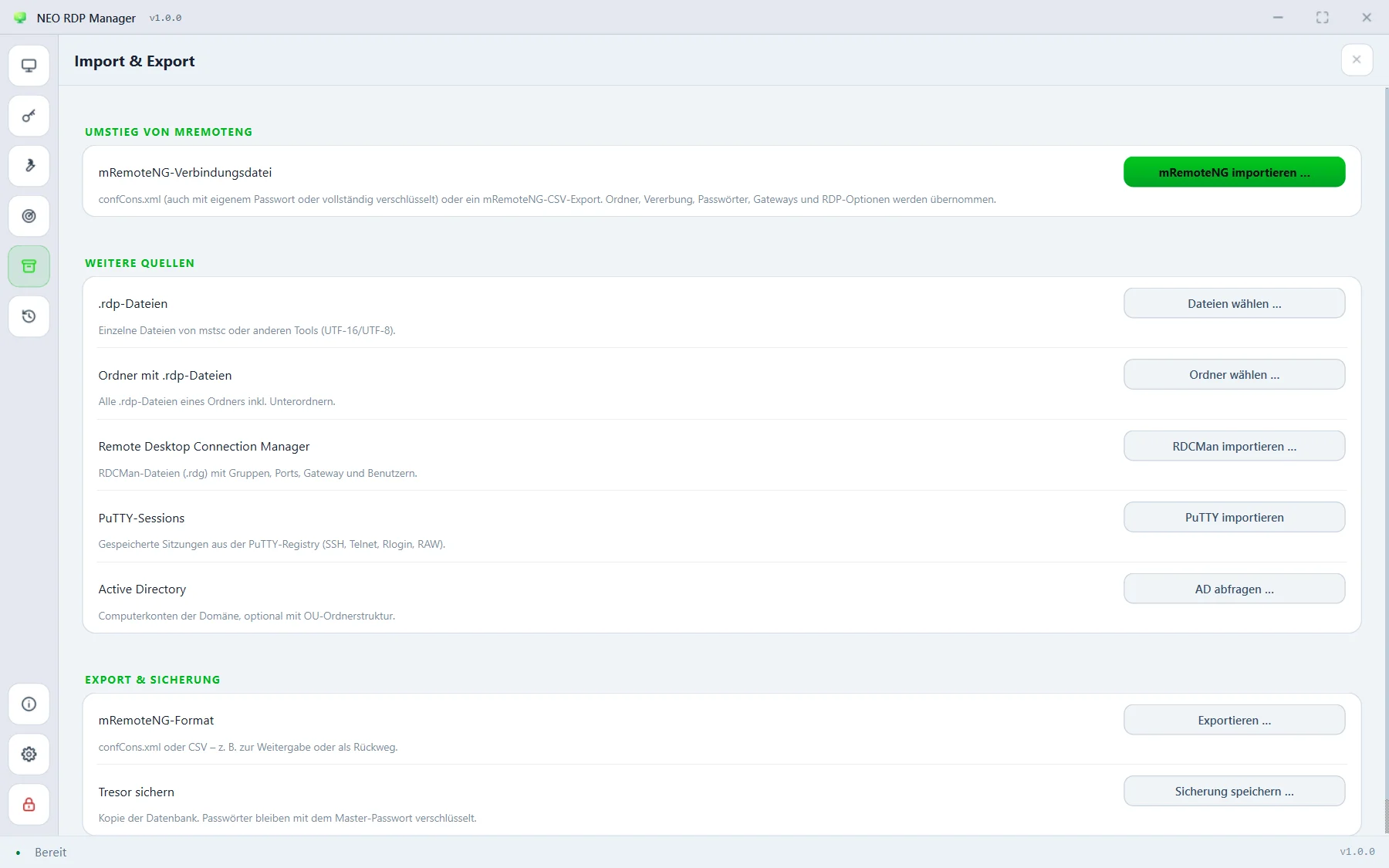
  2. In NEO RDP Manager, open Import & export in the sidebar on the left and click “Import mRemoteNG …” (in the app: „mRemoteNG importieren …“). The file picker opens right in the mRemoteNG folder.
  3. Pick the file. If it is protected with a custom password, enter the password you set in mRemoteNG.
  4. The preview shows how many folders and connections of which protocols were found and lists any notes. Decide whether everything should go into a new folder (suggested: “mRemoteNG” with the date) and whether existing connections with the same name, host and protocol are skipped.
  5. Import – done. Shortly afterwards the reachability check shows on every tile which servers answer.
Import and export page with the “Import mRemoteNG” button Import and export page with the “Import mRemoteNG” button
Import & exportmRemoteNG comes first; below it RDCMan, .rdp files, PuTTY and Active Directory. (The app's interface is in German.)

After the import

  • Bundle credentials: if many connections use the same account, create it under stored credentials or put it on the folder – then you change a password in one place from now on.
  • Search instead of clicking: with filters such as proto:rdp, folder:customer or tag:prod you find any connection in seconds – see search.
  • Familiar click behaviour: as in mRemoteNG, a click shows the details and a double click connects. If you prefer connecting with a single click, change it in the settings.
  • Clean up the old file: as long as you hadn't set a custom password, confCons.xml contains passwords encrypted with a well-known default key. Delete or move it once you no longer use mRemoteNG.

And back again?

Under Import & export → mRemoteNG format, NEO RDP Manager writes a confCons.xml that mRemoteNG 1.76 and later can open – passwords encrypted with a file password of your own if you like. There's also a CSV export in mRemoteNG's format; exported passwords are in plain text there, though.

Frequently asked questions

Where is mRemoteNG's confCons.xml?

For the installed version under %APPDATA%\mRemoteNG\confCons.xml, for the portable version in mRemoteNG's program folder.

Are the passwords taken over?

Yes. The import decrypts them – for protected files with the password you set in mRemoteNG – and stores them in NEO RDP Manager's vault, encrypted with your master password.

Can I keep using mRemoteNG alongside?

Yes. The import only reads the file and doesn't change it. With the export you can write changes back as a confCons.xml whenever needed.

See also: mRemoteNG alternative compared · All import sources · RDCMan alternative

Ready to switch?

Install, set a master password, import confCons.xml.

Go to download